

Barcode systems remain essential for real-time inventory visibility and accuracy, enabling seamless tracking of stock from receipt to despatch. Teams often struggle with mis-picks caused by manual data entry, inefficiencies in pick and pack, and visibility gaps in SKU management that lead to costly errors and delayed fulfilment. This article explains where legacy barcode approaches fall short and adds practical guidance from a warehousing practitioner to help you prioritise improvements.
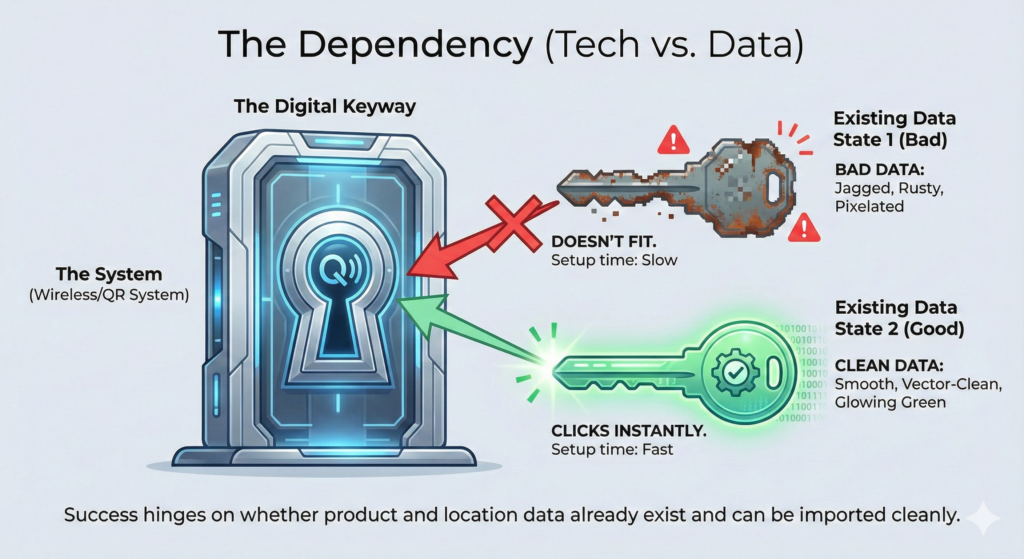
Traditionally, rolling out barcodes could mean lengthy labelling projects and device setup. In practice today, timelines vary by data readiness rather than technology speed. As Clarus WMS consultant Mathew Buttar puts it, when asked whether the platform “sets up wireless and QR systems faster than traditional methods”: “It doesn’t,” noting success hinges on whether product and location data already exist and can be imported cleanly.
The result of traditional methods
- Delays in fulfilment due to poor inventory visibility and manual stock tracking
- Inefficiencies in pick and pack that waste labour and drive accuracy errors
- Lost revenue from stock discrepancies and non-optimised device integration
What is Barcode Inventory and How Do I Optimise It?
Barcode inventory uses UPC, EAN or QR codes on labels to track SKUs with handheld or fixed scanners, feeding accurate data into a WMS for real-time stock control. Foundational standards from GS1 ensure codes are globally unique and scannable, while implementation best practice includes defining your data model, labelling locations and units, and validating print quality with ISO test methods. See: GS1, Ten steps to barcode implementation and ISO/IEC 15416 preview.
Expert insight: For retail-ready goods, case or item barcodes are usually available from suppliers and can be imported directly. For B2B items without barcodes, use pallet or ERP labels where available and standardise fields before go-live.
Do I Need Handheld Scanners for My 3PL Operations?
For growing 3PLs with varied SKUs, rugged handhelds with wireless connectivity are the practical default, supporting mobile pick, put-away and cycle count. MHI’s latest industry report places barcode and scanning among the most-adopted identification technologies and notes continued near-term investment as facilities digitise workflows (MHI Annual Industry Report 2024).
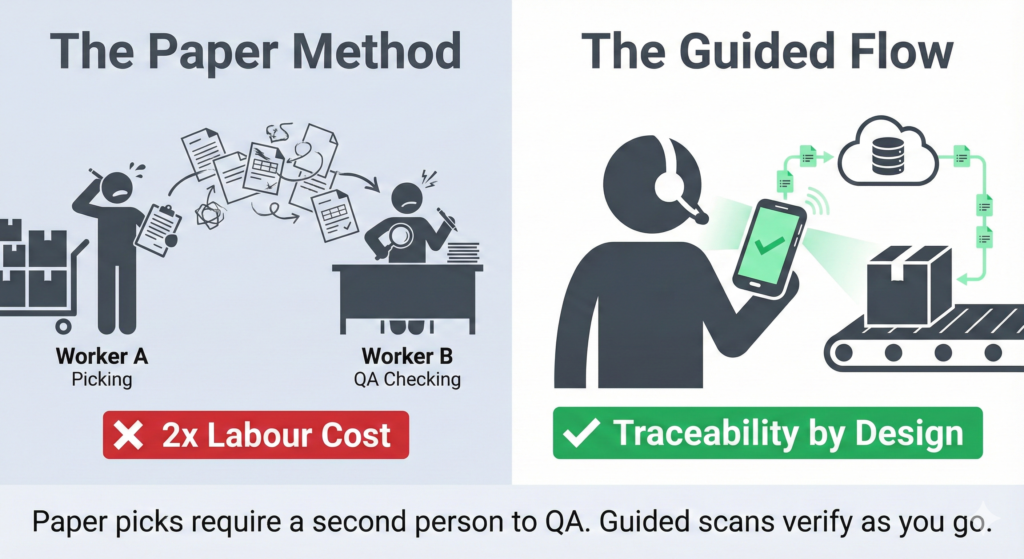
Expert insight: Handhelds dramatically reduce paper handling, duplicate checking and non-value-add travel. Paper picks often require a second person to QA every pallet, whereas guided scan flows provide traceability by design.
How Does Visibility Impact Barcode Tracking?
Strong visibility means every movement validates the correct location, pallet and product in sequence. Real-time prompts and exceptions prevent common human slips, for example scanning the right location and pallet, then absent-mindedly lifting a case from the adjacent pallet. Systems should flag mismatches immediately and steer the user back on task.
For programme design, follow GS1 location and item labelling guidance to keep scans unambiguous, and confirm print quality against ISO/IEC 15416. For process, validate the “scan order” at each task step and require corrective action on exceptions.
What Role Does Automation Play in Label Scanning?
Automation ties UPC/EAN data to WMS workflows so tasks are guided and verified automatically. Evidence shows automation programs, when well-designed, compress travel, lift throughput and improve picking performance in omnichannel and 3PL environments (McKinsey, warehouse automation guidance). QR codes can carry richer data elements but still rely on clean master data and scanner capability.
Expert insight: “There is not a warehouse in the world that does not have errors… the point of our flow is to guide the user through steps that reduces those errors.” Design your flows to reduce, not deny, human fallibility.

Traditional Methods vs Clarus WMS for Barcode Systems
Manual label checks lack traceability, slow despatch and increase rework. A cloud WMS with handheld guidance, GS1-compliant labelling and real-time validation delivers faster picks and cleaner audits, particularly in high-mix 3PL operations (GS1 warehouse management overview). Remove unsubstantiated claims about “weeks vs months”, and instead plan timelines around data readiness, label print capacity and training cohorts.
Why Teams Struggle with Barcode Systems
- Fragmented tools that block end-to-end visibility
- Limited device integration, causing real-time gaps
- Manual label processes that introduce errors
- Inadequate wireless coverage that slows high-volume work
Expert insight: Resistance to change is common, especially in teams used to paper. Hands-on coaching during early picks helps users experience the speed and simplicity of guided scanning, which unlocks adoption.
How Does Clarus WMS Handle Barcode Systems?
Clarus WMS supports GS1 by default and configures task flows that require the correct location, pallet and item, raising immediate exceptions when a mismatch occurs. This provides traceability across receiving, put-away, picking and despatch, with dashboards for monitoring.
Real-Time Monitoring
Exception alerts on wrong location, pallet or product scans keep users on the happy path and preserve audit trails, reducing the need for secondary QA checks.
Scalable Adaptation
Scale by labelling locations and units methodically, adding zones and device pools as volume grows. Use ISO print quality checks and periodic label audits to maintain scan reliability at higher throughputs (ISO/IEC 15416 preview).
Full Visibility
End-to-end tracking with handheld guidance and clear dashboards shortens investigation time when something goes missing: “check stock, it tells you where it should be, then go and have a look.” Build this habit into daily management.
Practical Training Tips
Run short, hands-on sessions at go-live, pairing an experienced super-user with each picker for the first few orders. Confidence builds quickly once users see they can “pick twice as fast” by following scan prompts and skipping paper returns.